
MentoSearch, Advanced WooCommerce Search
Everything you need to find any customer, in one place.
WooCommerce
No monthly fees. No external tools. No code required. Just a powerful search panel inside your own wp-admin that lets you find any customer or order segment in seconds. Combine 40+ filters across Orders, Customers, Products, Financial data, and Time — filter by product purchased, country, lifetime value, inactive customers, coupon used, refund status, and much more, all at once. Results appear instantly in a clean table with direct profile links and a one-click CSV export. Free, open source, and fully compatible with WooCommerce High-Performance Order Storage.
Five filter categories. Combinable. Instant results. No code.
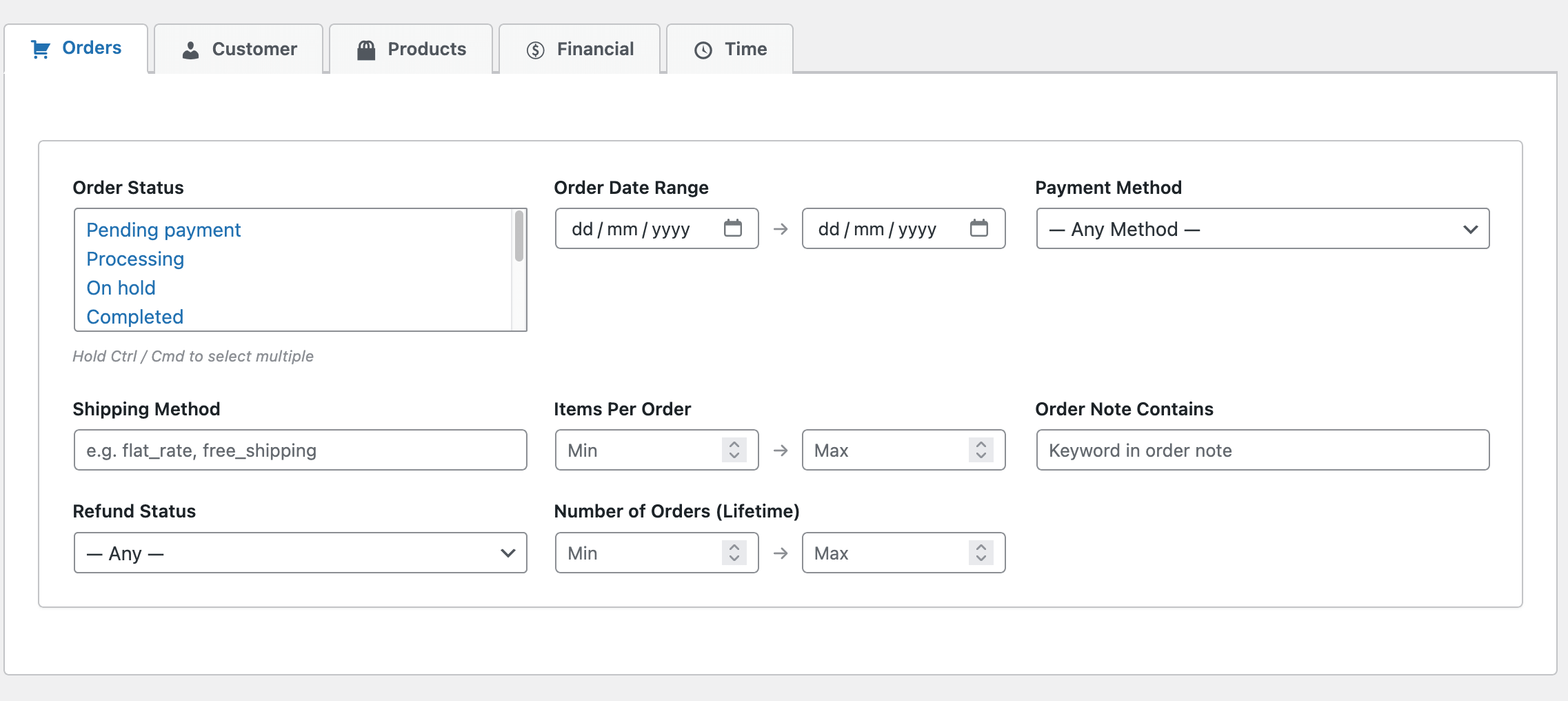
Filter by order status, date range, payment method, shipping method, items per order, order notes, refund status, and lifetime order count. Whether you need all completed orders from last month or every refunded order paid by bank transfer — it’s one search away.
Know your customers better than they know themselves.
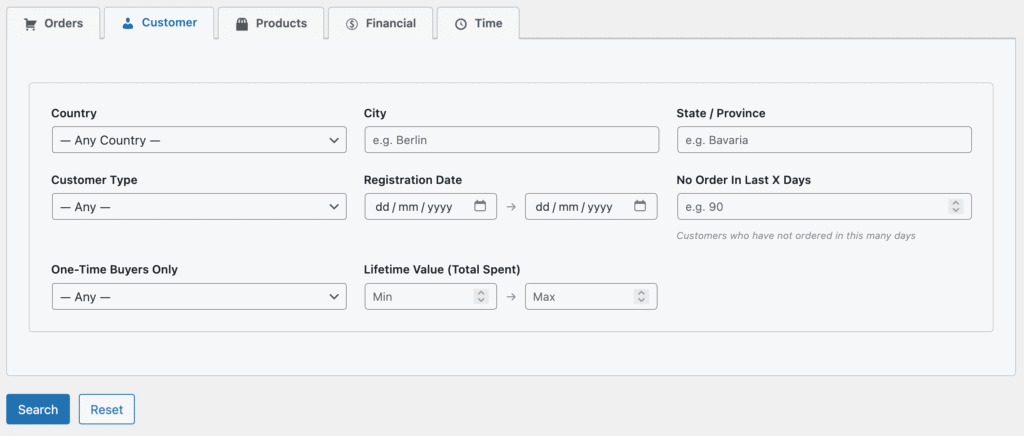
Filter by country, city, state, customer type (registered or guest), registration date, days since last order, one-time buyers, and lifetime value. Find the customers you want to reward, re-engage, or simply understand better.
See exactly who bought what.
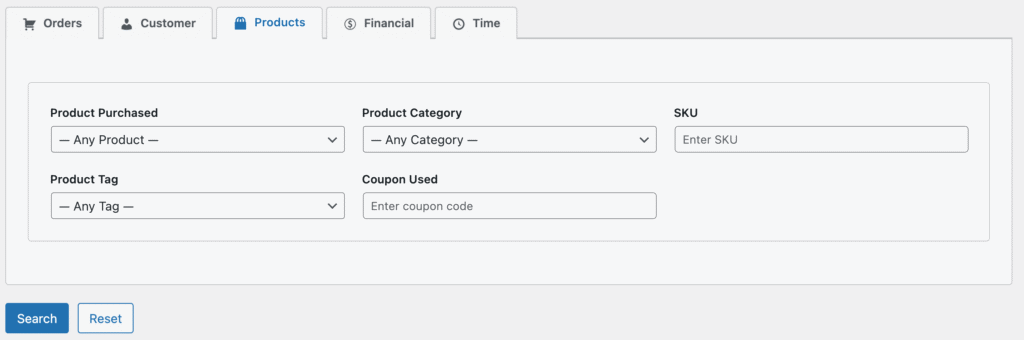
Filter by product purchased, product category, SKU, product tag, and coupon code used. See exactly who bought what — down to a specific variant, category, or promotional campaign.
Follow the money.
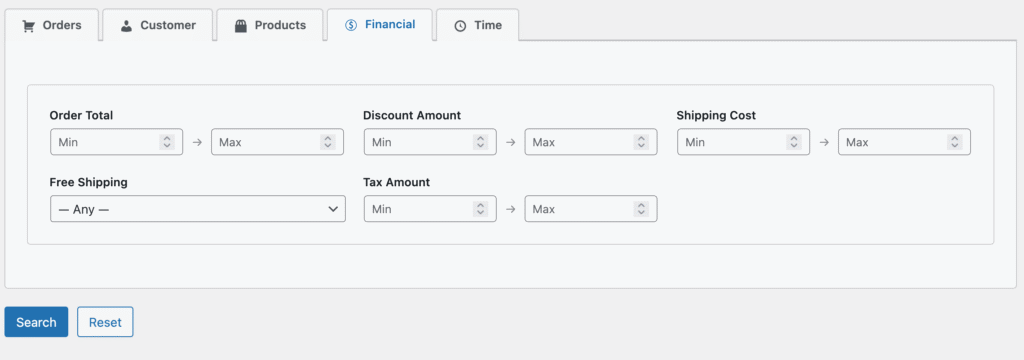
Filter by order total, discount amount, shipping cost, tax amount, and free shipping. Identify your highest-value orders, measure the real impact of discounts, or find every order where shipping was free.
Results that tell you everything. Export in one click.
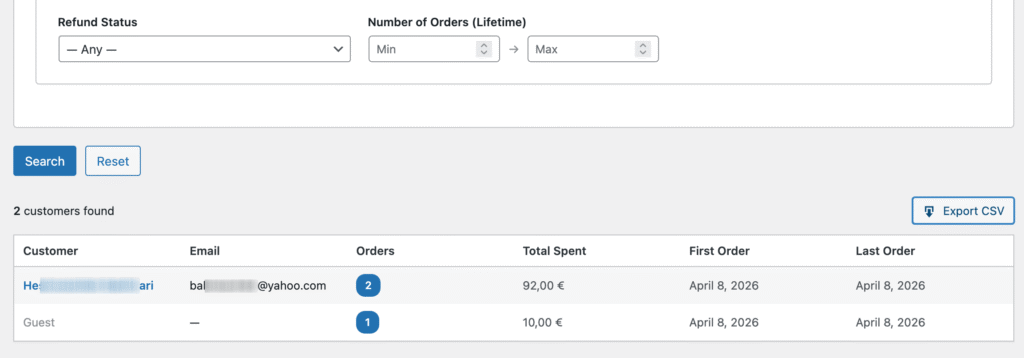
Every search returns a clean results table with customer name, email, order count, total spent, and first and last order dates. Click any order count to see every individual order in a popup. Export the full result set to CSV in one click — including all order IDs and profile URLs, UTF-8 encoded for Excel, LibreOffice, and Google Sheets.
Real problems. Real answers.
Here is what you can do in under a minute.
SCENARIO 01 · WIN-BACK CAMPAIGN
90 days of silence. Do you know who stopped buying?
Customers who bought once or twice and then disappeared are your easiest win-back opportunity. They already know your store — they just need a reason to return.
HOW TO DO IT
- Open
WooCommerce → Advanced Search - Customer tab →
No Order In Last X Days→ type90 - Orders tab →
Order Status→Completed - Click
Search Export CSV→ import into your email tool → send a win-back offer
In under a minute, you have a targeted list of customers worth re-engaging — ready for your next campaign.
RESULT
23
customers found
€127
avg. lifetime value
● Maria S. €340
● Thomas K. €189
● Anna W. €95
+ 20 more · ready to export
SCENARIO 02 · VIP IDENTIFICATION
Stop guessing who your VIPs are.
Your top customers deserve to be treated differently. Before you can reward them, segment them, or simply understand them — you need to find them. Without a query tool, they stay invisible inside a list of thousands.
HOW TO DO IT
- Open
WooCommerce → Advanced Search - Orders tab →
Number of Orders (Lifetime)→ Min:3 - Financial tab →
Order Total→ Min:200 - Click
Search Export CSV→ your VIP list, ready to use
Filter by spend, order count, product, or country — or combine all four. Your real VIPs are exactly where the filters intersect.
RESULT
11
VIP customers
€418
avg. lifetime value
● Klaus B. €890
● Sophie M. €640
● Lukas H. €510
+ 8 more · ready to export
SCENARIO 03 · CAMPAIGN ANALYSIS
You ran a campaign. But did it actually work?
You sent a coupon to customers in a specific country. Now you want to know who used it, whether they were new or returning, and how much they spent. That answer normally takes a developer or an expensive tool. Not anymore.
HOW TO DO IT
- Open
WooCommerce → Advanced Search - Products tab →
Coupon Used→ enter your coupon code - Customer tab →
Country→ select your target country - Customer tab →
Customer Type→Registered - Click
Search Export CSV→ measure your campaign’s real reach
Every campaign leaves a trail in your order data. Advanced Shop Search helps you read it.
RESULT
34
coupon redemptions
€76
avg. order value
● Julia F. €112
● Peter D. €89
● Nina R. €67
+ 31 more · ready to export
Ready to find your customers?
Free. Open source. No account required. Install in 30 seconds.